Key takeaways
- Set daily price and deposit once per unit.
- One rental row drives days, total, balance, and timing.
- Add extra charges before refunding the deposit.
- Use UNIT REPORT to see which units earn after maintenance.
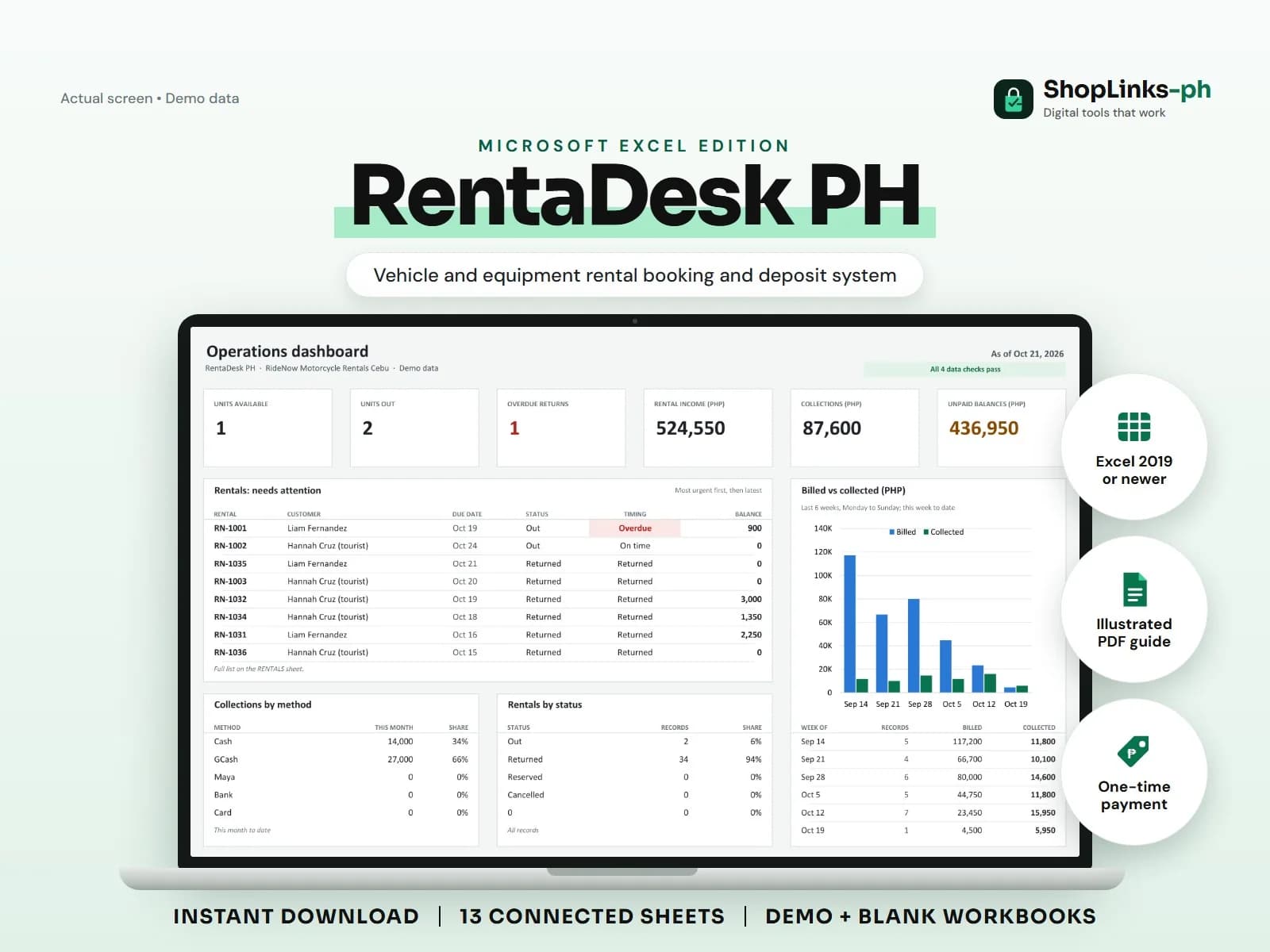
A rental shop's assets leave the lot every morning with strangers, and the notebook that tracks them is usually a list of names and plate numbers. A scooter that was due yesterday is noticed on Friday, a deposit is refunded before the fuel charge is remembered, and the unit that keeps breaking down still looks busy. RentaDesk PH gives each rental one row with days, total, balance, deposit refund, and Overdue timing computed from the dates.
Price and register once
Units carry a type, plate number, daily price, and deposit required. Customers carry a phone and a valid ID, which is the minimum a shop needs when a unit does not come back.
Unit status shows what is available, rented, or in maintenance, so the dashboard count is honest.
Open every rental with a due date
A rental records the customer, unit, start date, due date, and deposit held. Days bill the agreed period and keep counting once a unit is past due, and the rental amount, total, and balance follow.
Timing shows On time, Due today, or Overdue until the unit is Returned, so the morning call list writes itself.
Charge extras and refund from records
Fuel, late, damage, and cleaning charges are rows against the rental ID and are added to the total. Payments are recorded the same way.
When the status becomes Returned, the deposit refund is computed net of any unpaid balance, which ends the argument at the counter.
Know which unit earns
Maintenance jobs are logged per unit with cost and odometer. UNIT REPORT totals rentals, days rented, rental income, extra charges, maintenance, and net income per unit.
A weekly pass through CHECKS catches rentals pointing at unknown customers or units and overpaid rentals before refunds go out.
Review exceptions every week
Resolve duplicate IDs, missing links, overdue balances, negative amounts, and open operational items in CHECKS before using the dashboard for decisions.
RentaDesk PH Microsoft Excel Edition is designed for Microsoft Excel 2019 or newer on Windows or macOS.
No LTO registration or insurance compliance, GPS tracking, driver background checks, damage assessment or liability advice, contract generation, official receipts, or tax filing.