Key takeaways
- Cost each menu item once and update when prices move.
- Log servings per item at closing.
- Set a credit limit on every lista account.
- Add today's date to DAILY SUMMARY and read the net.
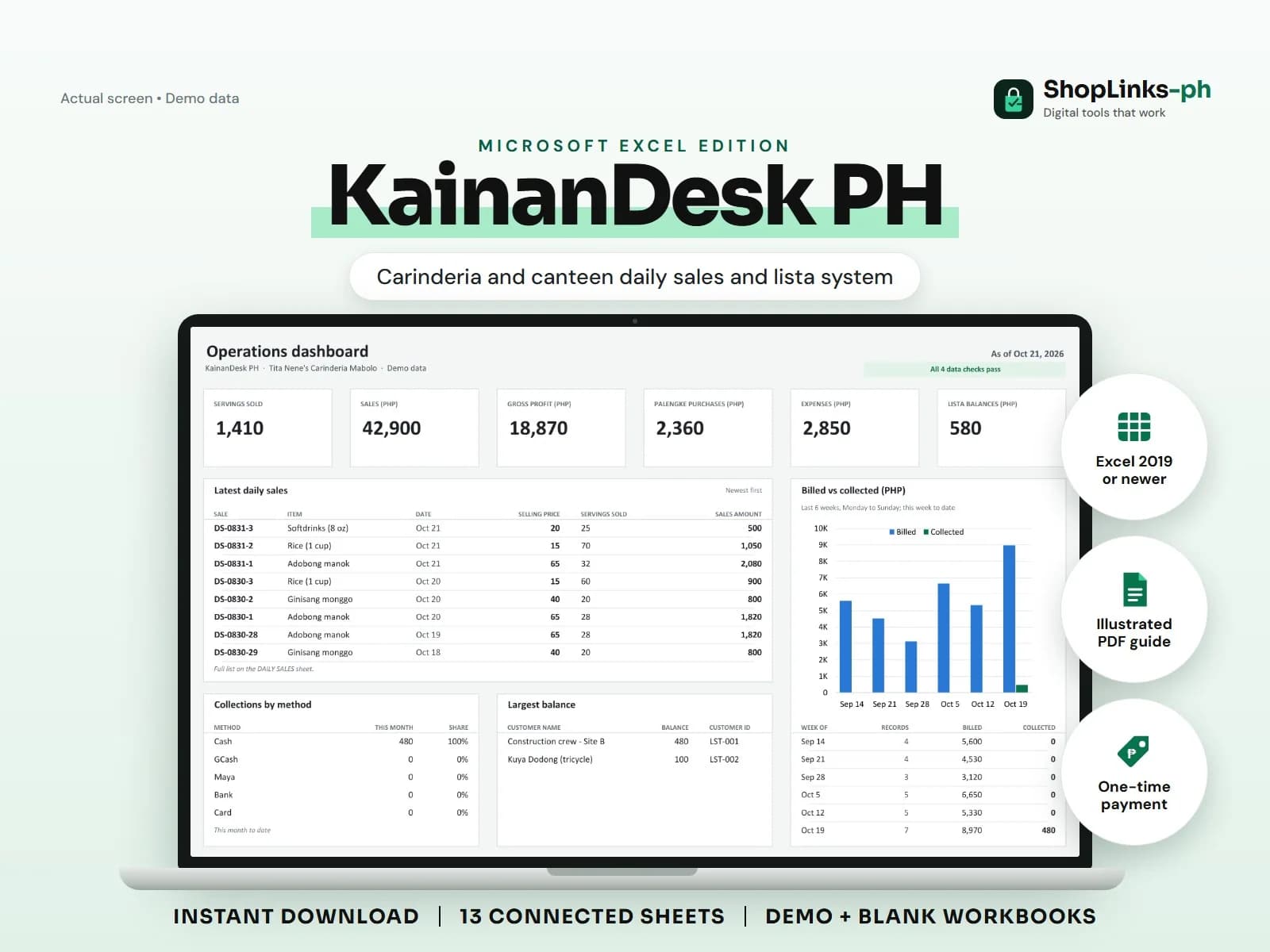
A carinderia is busy from sunrise, sells out by two, and still cannot say whether the day earned anything after the market run and the LPG refill. Lista customers pay on Saturday, if they pay, and the best-selling ulam may be the one with the thinnest margin. KainanDesk PH gives each menu item a margin, each day a summary, and each lista customer a balance against a limit.
Cost the menu once
Each menu item carries a selling price and an estimated cost per serving. Margin per serving is calculated, so the owner can see that monggo earns more per plate than adobo before deciding what to cook more of.
Costs are estimates the owner updates when market prices move; the sheet does not need a full recipe to be useful.
Log servings at closing
One row per item per day records servings sold. Selling price and cost are looked up from the menu, and sales amount, cost of sales, and gross profit are formula-driven.
Over a month this shows which dishes carry the stall and which ones only fill the tray.
Keep lista within a limit
Each credit customer has a credit limit. Charges and payments are recorded against the customer ID, and balance and available credit are calculated.
When available credit goes negative, CHECKS flags the account before another week of lunches goes on the list.
Read the daily net
DAILY SUMMARY needs only a date per row. Servings, sales, cost of sales, gross profit, purchases, expenses, and net for the day are summed from the records for that date.
A day that sold well but netted little usually means the palengke run was larger than the menu needed.
Review exceptions every week
Resolve duplicate IDs, missing links, overdue balances, negative amounts, and open operational items in CHECKS before using the dashboard for decisions.
KainanDesk PH Microsoft Excel Edition is designed for Microsoft Excel 2019 or newer on Windows or macOS.
No recipe costing per ingredient, inventory of raw stock, sanitary-permit compliance, nutrition information, POS or official receipts, or tax filing.