Key takeaways
- One enrollment ID links student, program, tutor, sessions, and payments.
- Only present and absent sessions consume the package.
- Tutor pay comes from sessions marked Present.
- Share the student statement instead of recomputing balances.
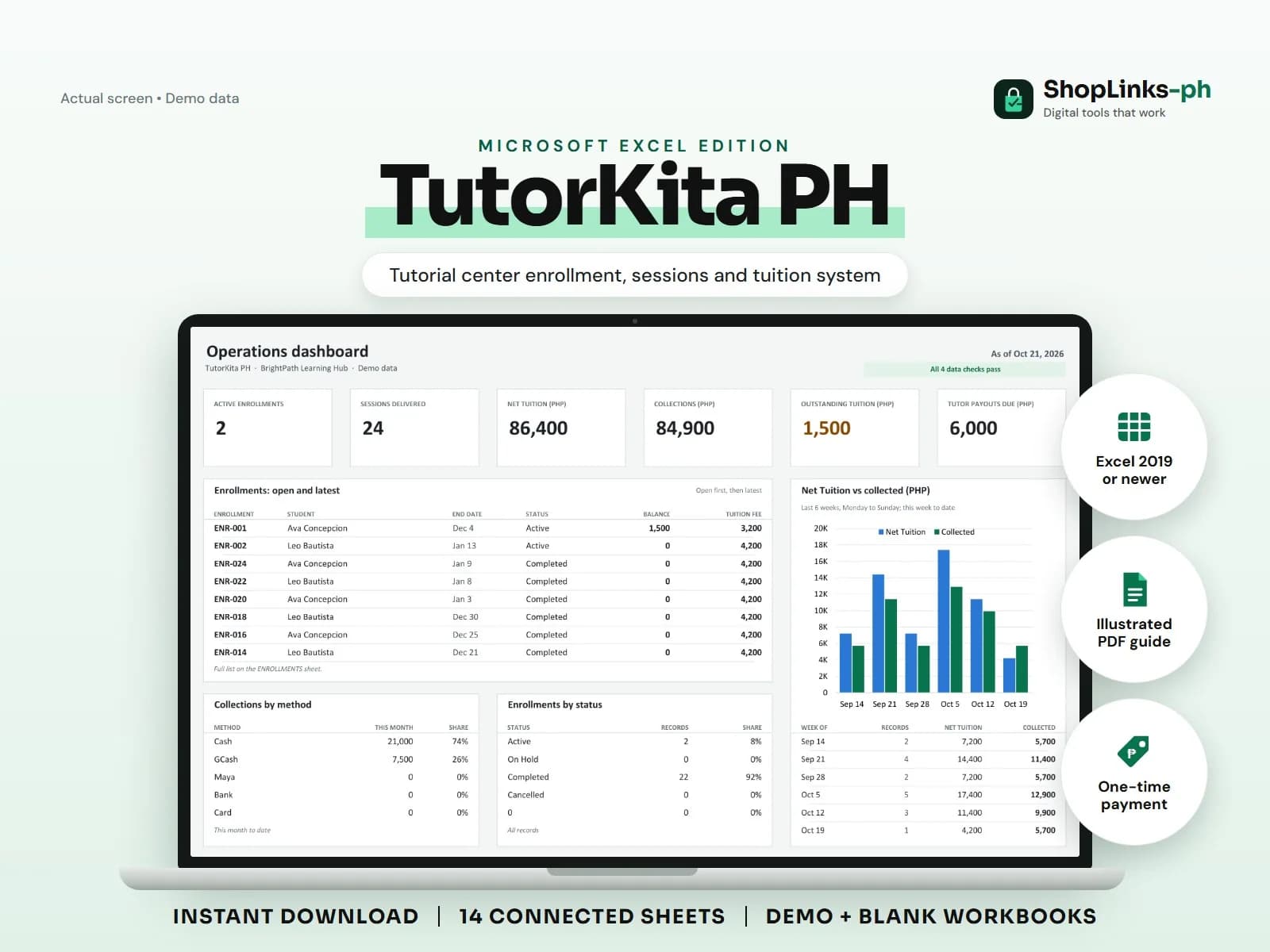
Tutorial centers sell time in packages, which makes them easy to overcommit and hard to reconcile. A parent asks how many sessions are left, a tutor asks how many were delivered, and the answers rarely match the notebook. TutorKita PH keeps one enrollment record at the center so that sessions, tuition, and tutor pay all count from the same source.
Enroll once and connect everything
Create the student, tutor, and program once, then open an enrollment that links all three with a start date, tuition fee, discount, and the number of sessions included. That enrollment ID is what every session and payment refers to.
Programs carry their own included-session count and default tutor rate, so a new enrollment starts with the right numbers without retyping them.
Log every session with attendance
Each session row records the date, enrollment ID, tutor, topic, and attendance: Present, Absent, Rescheduled, or Cancelled. Present and absent sessions consume the package; rescheduled and cancelled sessions do not.
Tutor pay is computed only for sessions marked Present, which keeps payouts fair and easy to explain.
Collect tuition on a schedule
Many families pay in installments. Record each payment against the enrollment ID with the method and reference, and the balance updates immediately.
The STUDENT STATEMENT sheet shows net tuition, payments, balance, and sessions remaining per enrollment, which is exactly what a guardian wants to see before the next installment.
Pay tutors from delivered sessions
The TUTOR PAYOUTS sheet counts present sessions per tutor and totals their tutor pay for the period. Add adjustments for transport or bonuses, record what was paid, and the balance shows what is still due.
A weekly review of CHECKS and the dashboard catches enrollments without students, sessions without enrollments, and negative balances before they become disputes.
Review exceptions every week
Resolve duplicate IDs, missing links, overdue balances, negative amounts, and open operational items in CHECKS before using the dashboard for decisions.
TutorKita PH Microsoft Excel Edition is designed for Microsoft Excel 2019 or newer on Windows or macOS.
No DepEd, CHED, or TESDA compliance, official grades or transcripts, payroll or tax computation, automatic scheduling or reminders, official receipts, or learning-outcome guarantees.