Key takeaways
- One job order row drives total, balance, and timing.
- Save measurements per customer and garment with a date.
- Charge fabric and notions to the job with Job Use movements.
- Pay sewers only for piece work marked Done.
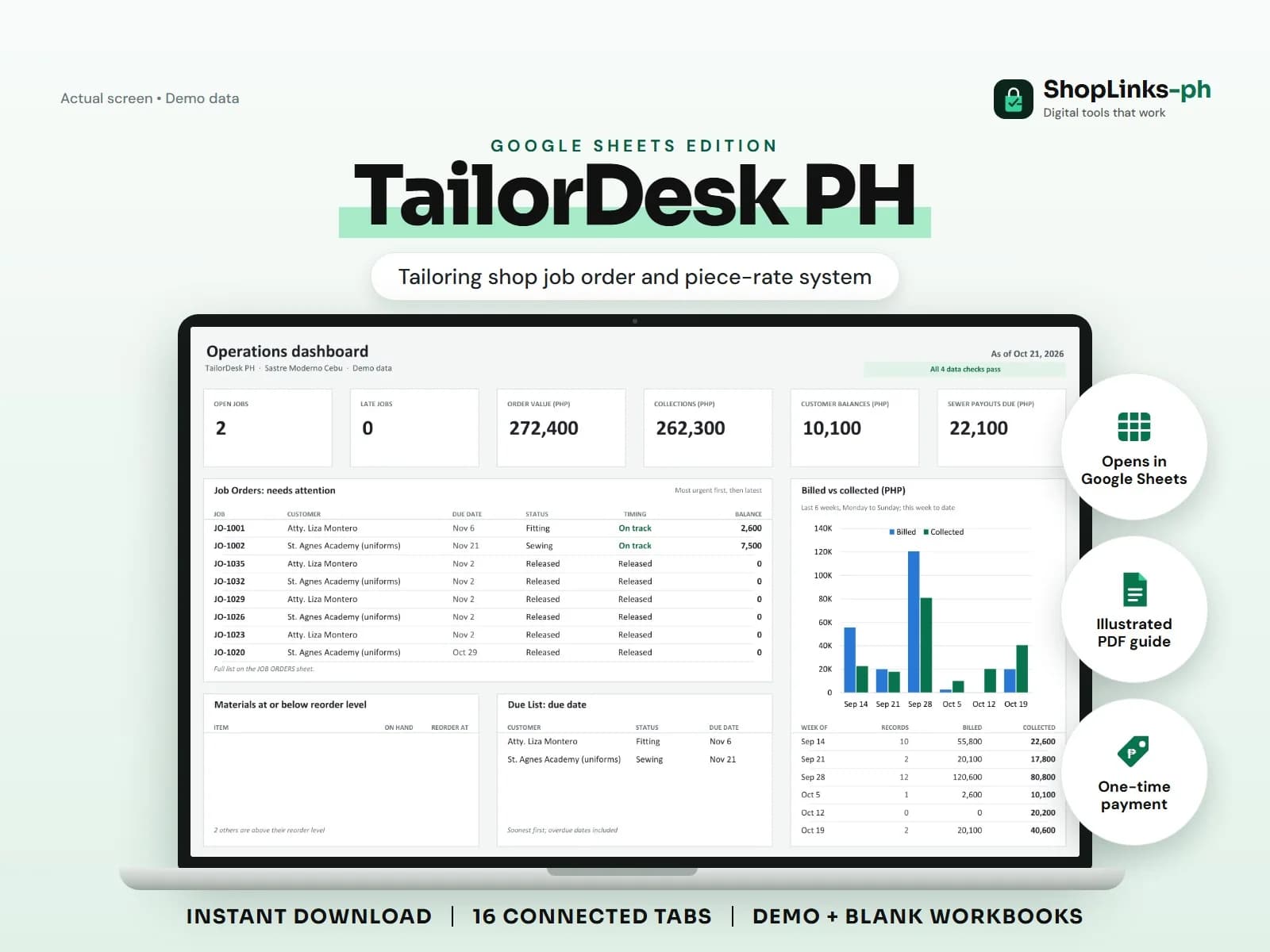
A tailoring shop lives on promises: this blazer by Friday, twenty uniforms before school opens, the same fit as last year. Measurements live in a worn notebook, deposits are remembered rather than recorded, and the sewer's pay is settled from a count nobody wrote down. TailorDesk PH puts each job order at the center so the due date, the fabric used, the sewer's pieces, and the customer's balance all count from one row.
Save measurements, not paper
Each customer has one ID and a measurement row per garment type with the date taken. A repeat order starts from the saved set, and a changed measurement gets a new dated row instead of an erased number.
Measurements stay attached to the customer, so the shop can quote a second barong without calling the customer back in.
Open every job with a due date
A job order records the garment, quantity, fabric cost, labor fee, add-ons, discount, due date, and the sewer assigned. Total, balance, days to due, and timing are formula-driven.
The DUE LIST sheet shows what is Late, Due today, or On track so the front counter can call customers before they call the shop.
Charge materials to the job
Fabric and notions are registered with a unit cost and reorder level. Each cut is a Job Use movement against the job ID, which keeps on-hand stock and the true material cost of the job in step.
When thread or lining hits the reorder level, the sheet says so before the next bulk order is cut.
Pay sewers for finished pieces
Piece work rows carry the task, pieces, and pay per piece; only rows marked Done count. SEWER PAYOUTS totals the period, adds adjustments, subtracts what was paid, and shows the balance.
Customer payments recorded against the job keep deposits and balances visible. A weekly pass through CHECKS catches jobs without customers and piece work pointing at unknown jobs.
Review exceptions every week
Resolve duplicate IDs, missing links, overdue balances, negative amounts, and open operational items in CHECKS before using the dashboard for decisions.
TailorDesk PH Google Sheets Edition is designed for use with a Google account and current desktop Google Sheets.
No pattern drafting or CAD, size charts or fit guarantees, automatic SMS reminders, supplier ordering, payroll or tax computation, or official receipts.