Key takeaways
- Set the hourly rate and daily cap once per vehicle type.
- Enter time in and time out; the charge computes itself.
- Bill monthly renters from their contract rate each period.
- Read the slot report to see which slots earn.
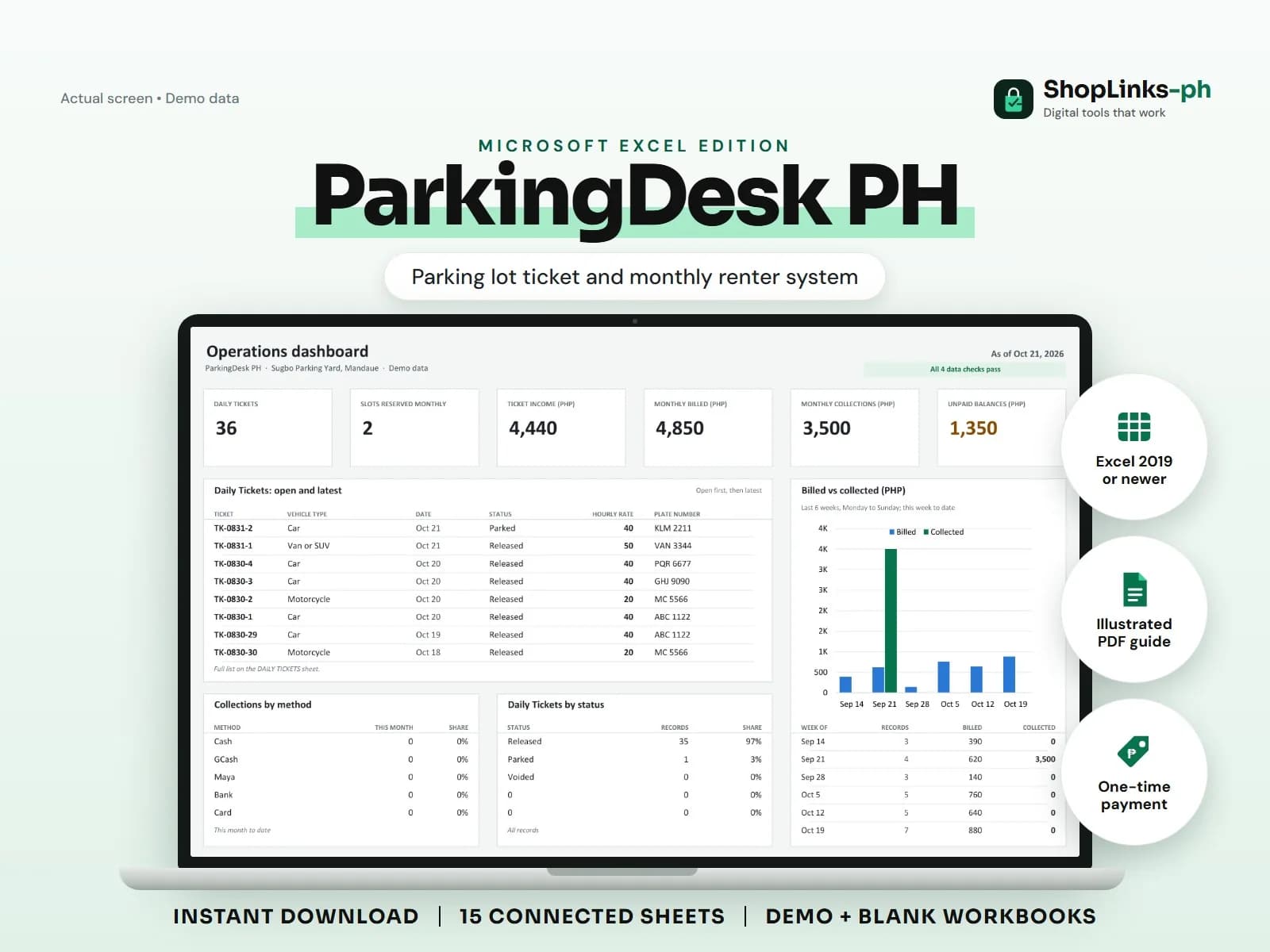
A parking lot earns in two very different ways at the same time. Monthly renters pay a fixed amount whether they park or not, while walk-ins pay by the hour and expect the charge to stop at a daily maximum. Most lots track the first in a notebook and the second on a torn ticket stub, so nobody can say which slots actually earn. ParkingDesk PH puts both on the same sheet, with the ticket charge computed from time in and time out and the monthly bill computed from the contract.
Set the slots and the rate card first
Every slot is listed once with its level, type, and monthly rate. The rate card holds one row per vehicle type with an hourly rate and a daily maximum cap, which is the only place those numbers are edited.
Because the ticket reads its rate from the card, a rate change applies to new tickets without anyone rewriting a signboard formula in their head.
Let the ticket compute itself
An attendant enters the ticket ID, date, rate, plate, slot, and time in. When the vehicle leaves, they enter time out and nothing else. Hours parked, chargeable hours rounded up to the next full hour, the capped gross charge, and the ticket total after any discount all calculate.
A vehicle that is still inside has no time out, so its charge stays blank instead of quietly counting as zero income. At the end of the day, the tickets with blanks are exactly the vehicles still in the lot.
Bill monthly renters per period
Each renter carries a slot, plate, contract dates, and a contract rate. Days to expiry and a contract status of Active, Expiring, or Expired come from the contract end date, so renewals are visible weeks ahead.
One bill row per renter per month picks up the contract rate, adds any adjustments, subtracts payments, and shows Paid, Partial, or Unpaid. That is the collection list for the month.
Close the day and the month with a read
The shift log links each attendant to a date and shows tickets handled and collections for that shift, which is the number to match against the cash turned over.
SLOT REPORT totals tickets, ticket hours, ticket income, and monthly billing per slot, and labels each slot Reserved monthly, Busy, Light, or Idle. An idle slot next to a busy one is usually a signage or pricing problem, not a demand problem.
Review exceptions every week
Resolve duplicate IDs, missing links, overdue balances, negative amounts, and open operational items in CHECKS before using the dashboard for decisions.
ParkingDesk PH Microsoft Excel Edition is designed for Microsoft Excel 2019 or newer on Windows or macOS.
No barrier gate, RFID, plate-reading camera or payment terminal connection, no parking permit or business licence compliance, no official receipts, no payroll filing, and no tax computation.