Key takeaways
- One matter row carries every charge and payment.
- Time entries can be billable or on record only.
- Every disbursement advanced is captured against its matter.
- Balance = acceptance fee + time + disbursements - payments.
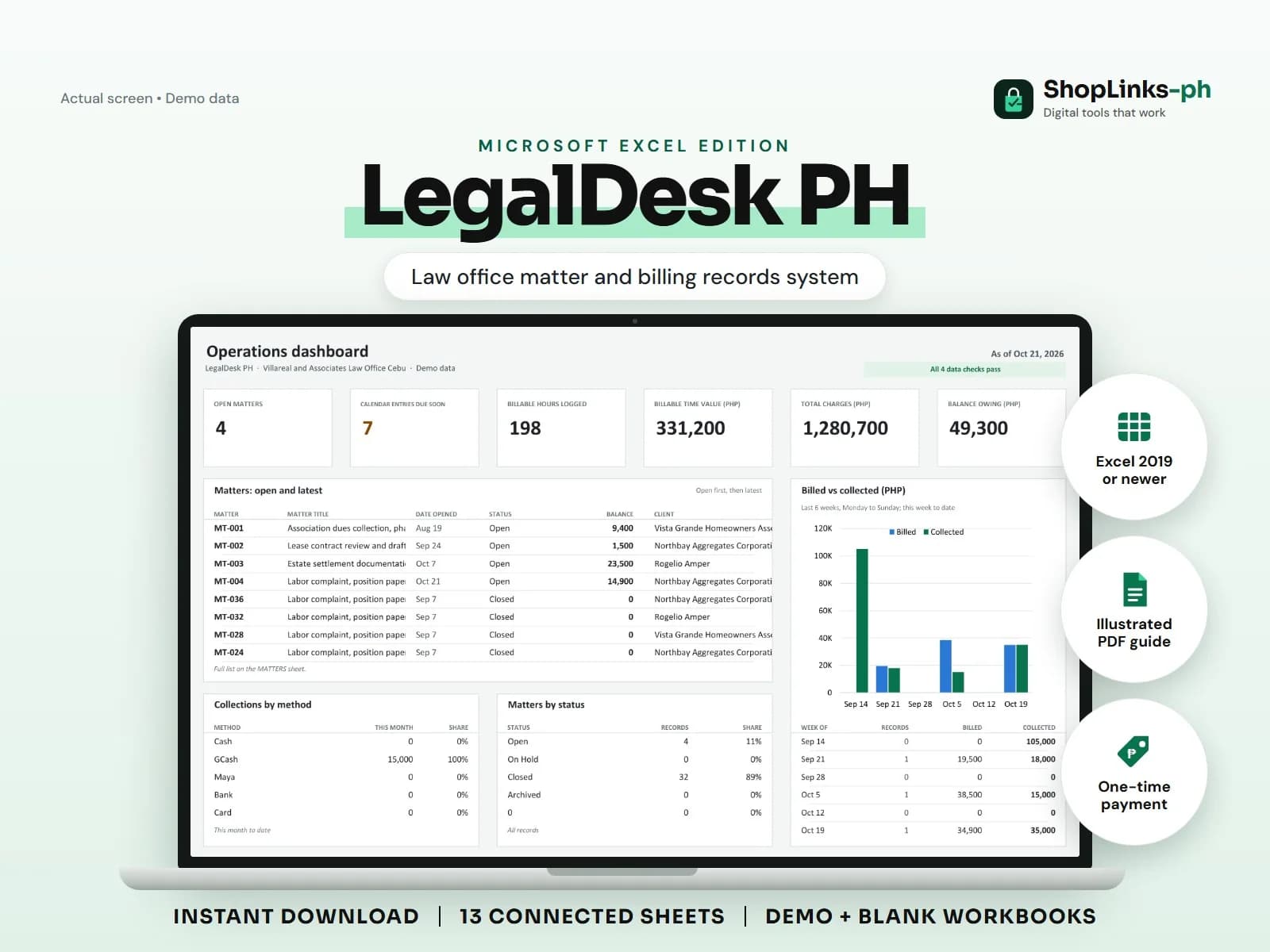
In a small law office the money problems are rarely about fees. They are about the small amounts advanced for a client that nobody wrote down, the hours worked that were never logged, and the statement of account assembled from a folder the night before it is sent. LegalDesk PH keeps the administrative side in one place, so a matter row shows the acceptance fee, the billable time, the disbursements, the payments, and what is still owing.
Open a matter, not a folder
Each matter records the client, the matter type, the agreed arrangement, the acceptance fee, and the date opened. Time entries, disbursements, payments, and calendar dates all point back to it.
Because the arrangement is written down, a fixed-fee matter and an hourly matter can sit side by side without confusion about what is billable.
Log time while it is fresh
A time entry carries the date, the timekeeper, a description, hours, and a rate, and it is marked billable or not. Amount is computed and non-billable entries come through at zero.
Work done on a fixed-fee matter can still be logged for the record without inflating the charges, which is often the honest thing to do.
Record every peso advanced
Disbursements are the amounts your office pays out for the client: docket charges, certified copies, courier, notarial, transportation. Each one is recorded against the matter with a payee and a reference.
That single habit recovers real money at billing time and removes the most common source of awkward conversations.
Balance per matter, dates you can see
Total charges are the acceptance fee plus billable time plus disbursements, and the balance is what remains after payments. CLIENT STATEMENT rolls that up per client.
The calendar carries hearings, conferences, and your own internal deadlines with a Due Soon flag, so the week ahead is visible without opening every file.
Review exceptions every week
Resolve duplicate IDs, missing links, overdue balances, negative amounts, and open operational items in CHECKS before using the dashboard for decisions.
LegalDesk PH Microsoft Excel Edition is designed for Microsoft Excel 2019 or newer on Windows or macOS.
No legal advice, no court or agency electronic filing or e-submission, no computation of statutory or procedural deadlines, no IBP, court or bar compliance reporting, no conflict-of-interest search, no trust-account regulation, official receipts, or tax filing; administrative records only.