Key takeaways
- Lots and members carry stable IDs.
- Bill per period and charge type; status is automatic.
- Record who received each collection and who approved each expense.
- Post the member ledger before every assembly.
Watch the supporting video
Watch the YouTube guide here while following this article.
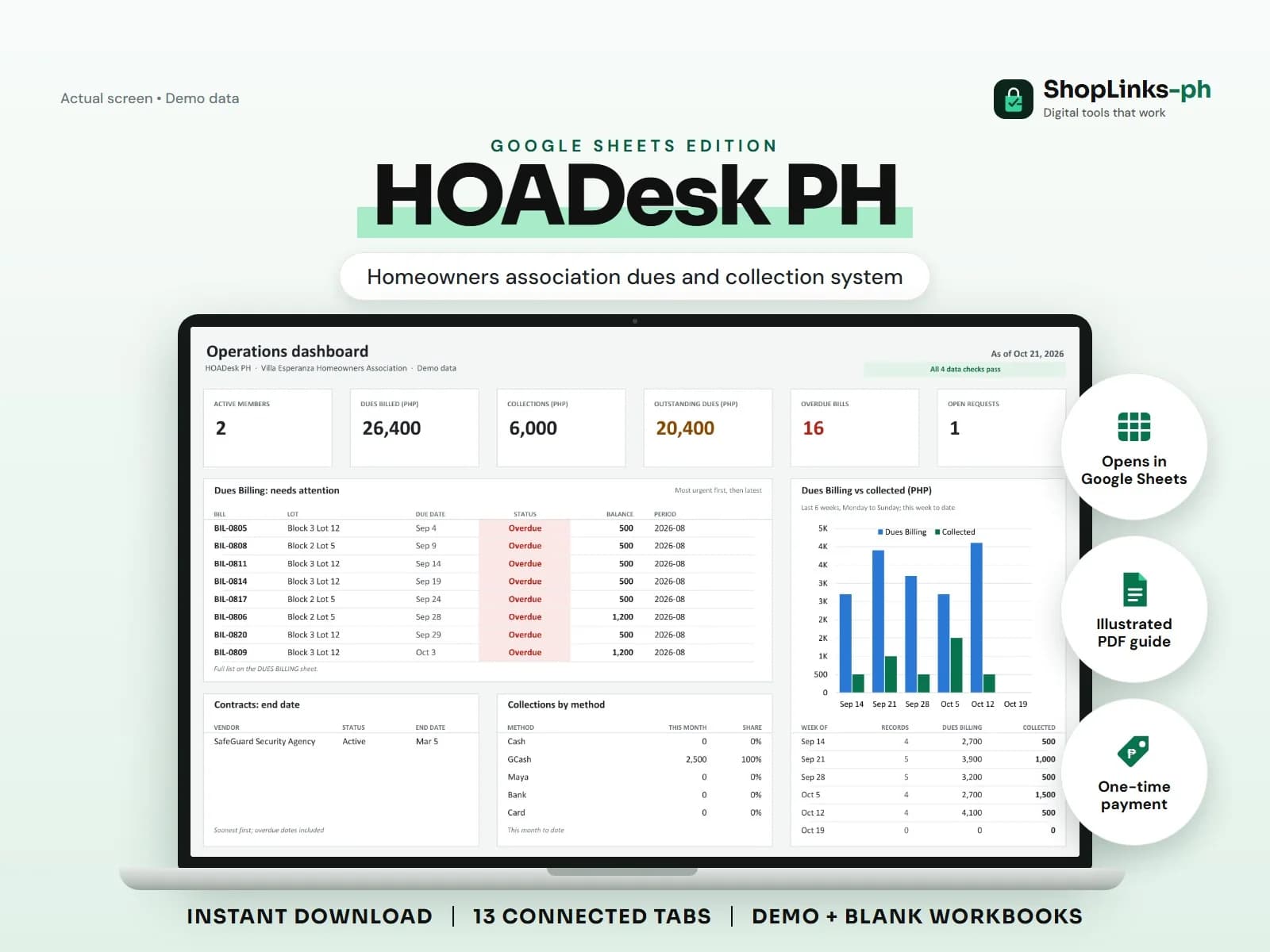
Most homeowners association disputes are about money nobody can trace: dues paid to a former treasurer, a special assessment that was never billed to one block, an expense with no approval. HOADesk PH connects lots, members, bills, collections, and expenses with IDs so the treasurer can show the record instead of defending a memory.
Register lots and members
Each lot has an ID, block and lot, phase, and occupancy. Each member references a lot and a membership type. Turnover of a lot becomes a change of member, not a lost history.
Active status keeps the member count on the dashboard accurate.
Bill dues per period
A bill records the period, charge type (monthly dues, special assessment, penalty, sticker), amount, and due date. Status becomes Paid, Overdue, or Open automatically from collections and the due date.
Special assessments are billed like any other charge, so a gate repair share is never forgotten for one block.
Record collections and expenses with names
Every collection references the bill and records the method, reference, and the officer who received it. Expenses record the vendor, category, and approving officer; service contracts keep the agreed monthly amounts.
The dashboard shows dues billed, collected, outstanding, and overdue counts at a glance.
Publish the ledger and close requests
MEMBER LEDGER totals billed, collected, and balance per member, which is the statement to post before a general assembly. Requests for repairs, complaints, and clearances are logged with priority and status until resolved.
A monthly review of CHECKS catches bills issued to unknown members and negative balances.
Review exceptions every week
Resolve duplicate IDs, missing links, overdue balances, negative amounts, and open operational items in CHECKS before using the dashboard for decisions.
HOADesk PH Google Sheets Edition is designed for use with a Google account and current desktop Google Sheets.
No DHSUD or SEC compliance, legal notices or demand letters, official receipts, tax filing, bank feeds, automatic reminders, or election and voting management.