Key takeaways
- One row per batch carries the whole cost story.
- Charge feed to the batch that used it.
- Mortality keeps the live head count true.
- Compare cost per head before the next batch.
Watch the supporting video
Watch the YouTube guide here while following this article.
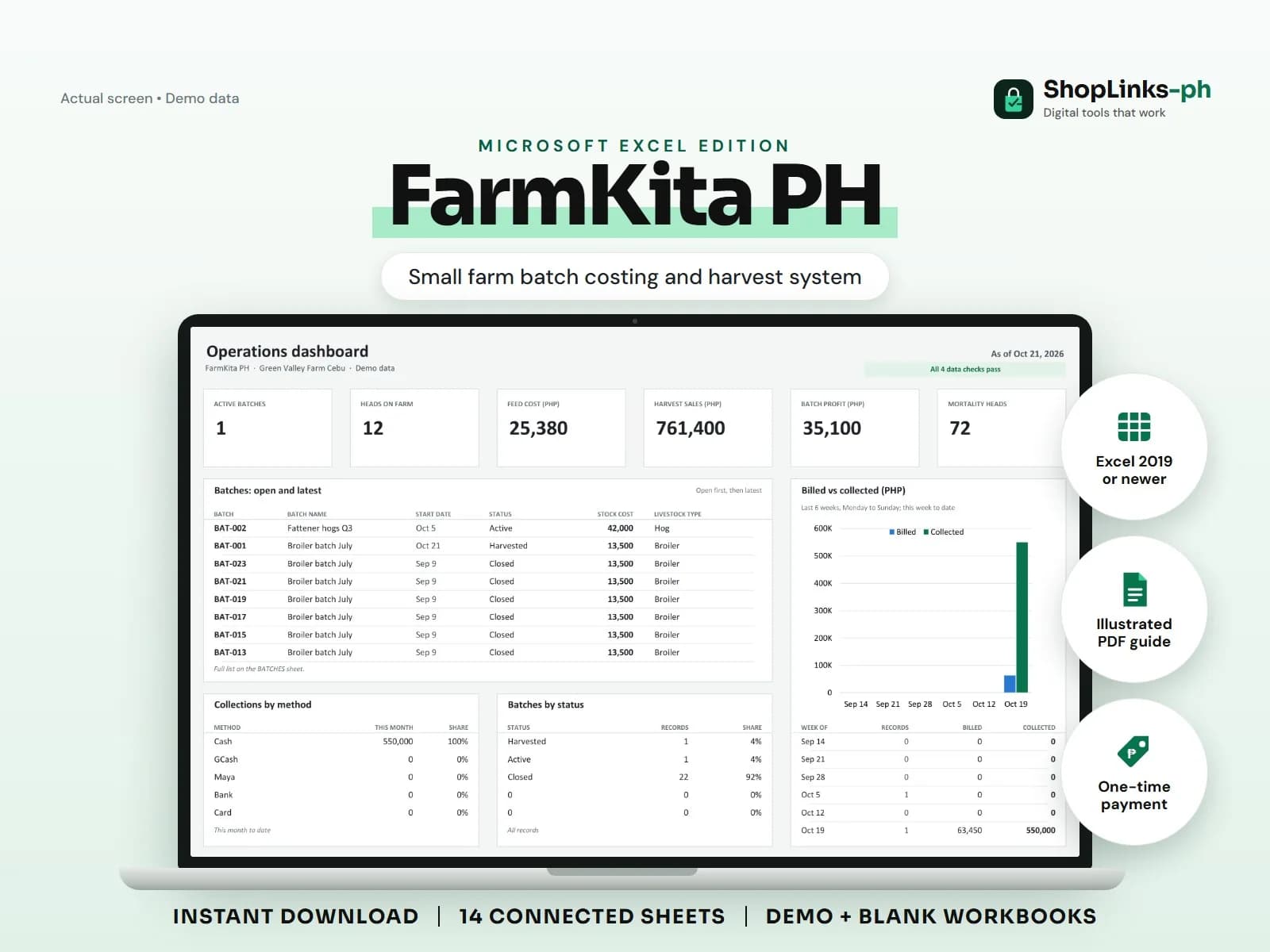
Many backyard raisers judge a batch by the cash left after the buyer pays, which hides feed bought on credit, medicine, electricity, and the birds lost along the way. FarmKita PH keeps one row per batch and lets feed use, mortality, harvests, and expenses roll into it, so the profit per head is a number rather than a feeling.
Open the batch with its true starting cost
A batch carries the livestock type, start date, head count, target harvest date, and the cost of chicks, piglets, or fingerlings. Everything that follows references the batch ID.
Status moves from Active to Harvested to Closed, which keeps the dashboard's heads-on-farm figure honest.
Log feed as it is used, not only as it is bought
Feed purchases track bags and cost from the supplier. Feed use records bags consumed per batch at the cost per bag, and that is what the batch is charged.
Two batches sharing a delivery are costed correctly because use is recorded per batch.
Record mortality and medication honestly
Each mortality record reduces the batch's live head count and shows the cause. Medication and vitamins are logged with cost.
By harvest time the head count now equals what is actually left to sell, and the sheet flags a negative count as a data error.
Harvest, collect, and read the report
A harvest records heads sold, kilos, price per kilo, and buyer; the amount is calculated. Buyer payments are recorded against the harvest so partial payments stay visible.
BATCH REPORT shows total cost, sales, profit, and cost per head, which is the number to compare before the next batch.
Review exceptions every week
Resolve duplicate IDs, missing links, overdue balances, negative amounts, and open operational items in CHECKS before using the dashboard for decisions.
FarmKita PH Microsoft Excel Edition is designed for Microsoft Excel 2019 or newer on Windows or macOS.
No veterinary or feeding advice, biosecurity certification, DA or BAI compliance, weighing-scale integration, market price feeds, official receipts, or tax filing.