Key takeaways
- Start with one defined situation
- Replace the fictional examples
- Review the final native file
Set the review boundary
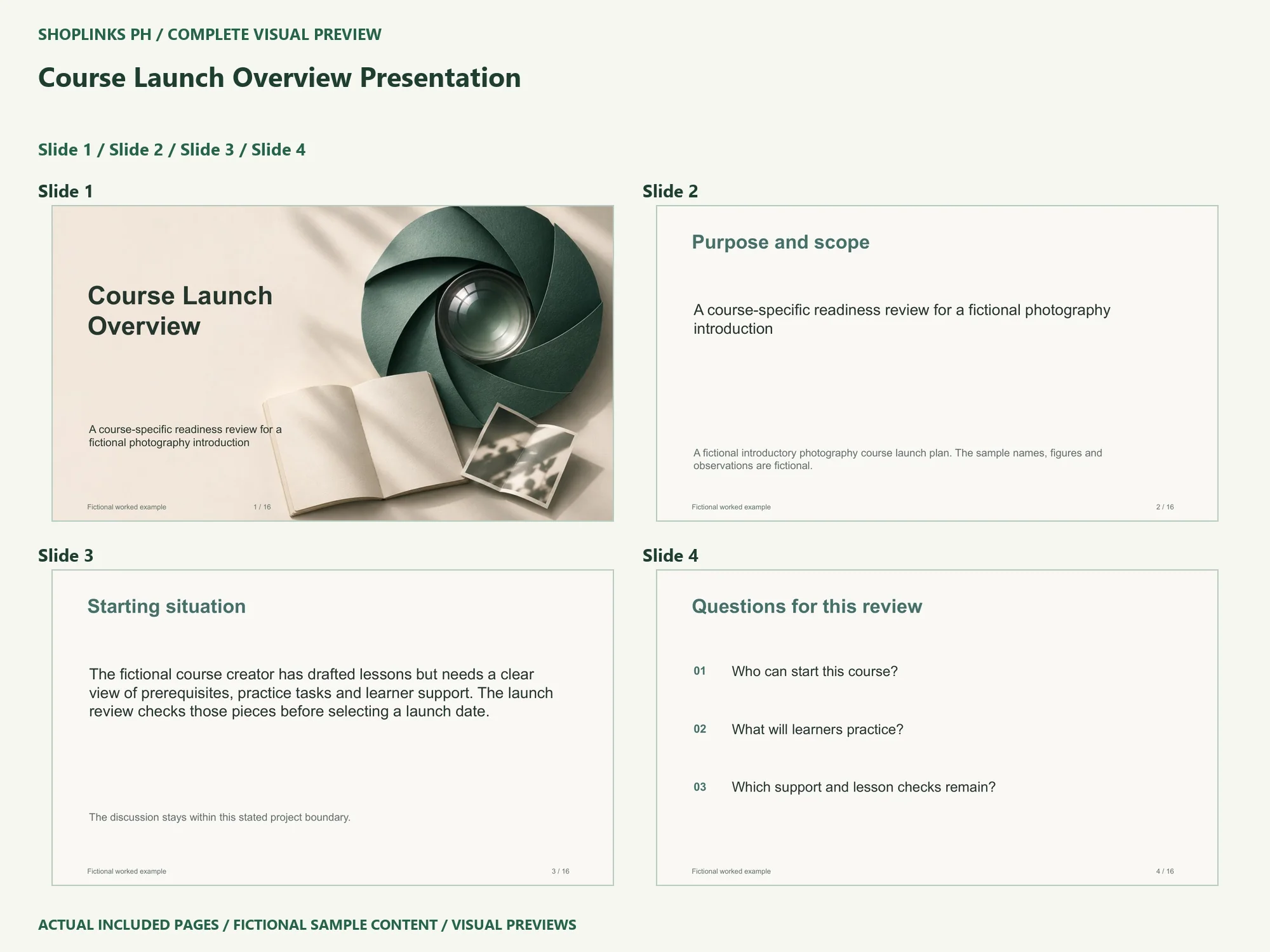
The fictional course creator has drafted lessons but needs a clear view of prerequisites, practice tasks and learner support. The launch review checks those pieces before selecting a launch date. Start by naming the decision this meeting should support. Define what is outside the discussion so an attractive slide does not imply work that has not been done.
Ask questions that can change the decision
Use these questions to organize the first pass: Who can start this course? / What will learners practice? / Which support and lesson checks remain? Give each question a place in your notes. If an answer has no evidence yet, label it as an open question rather than choosing a confident-looking sample statement.
Replace sample evidence deliberately
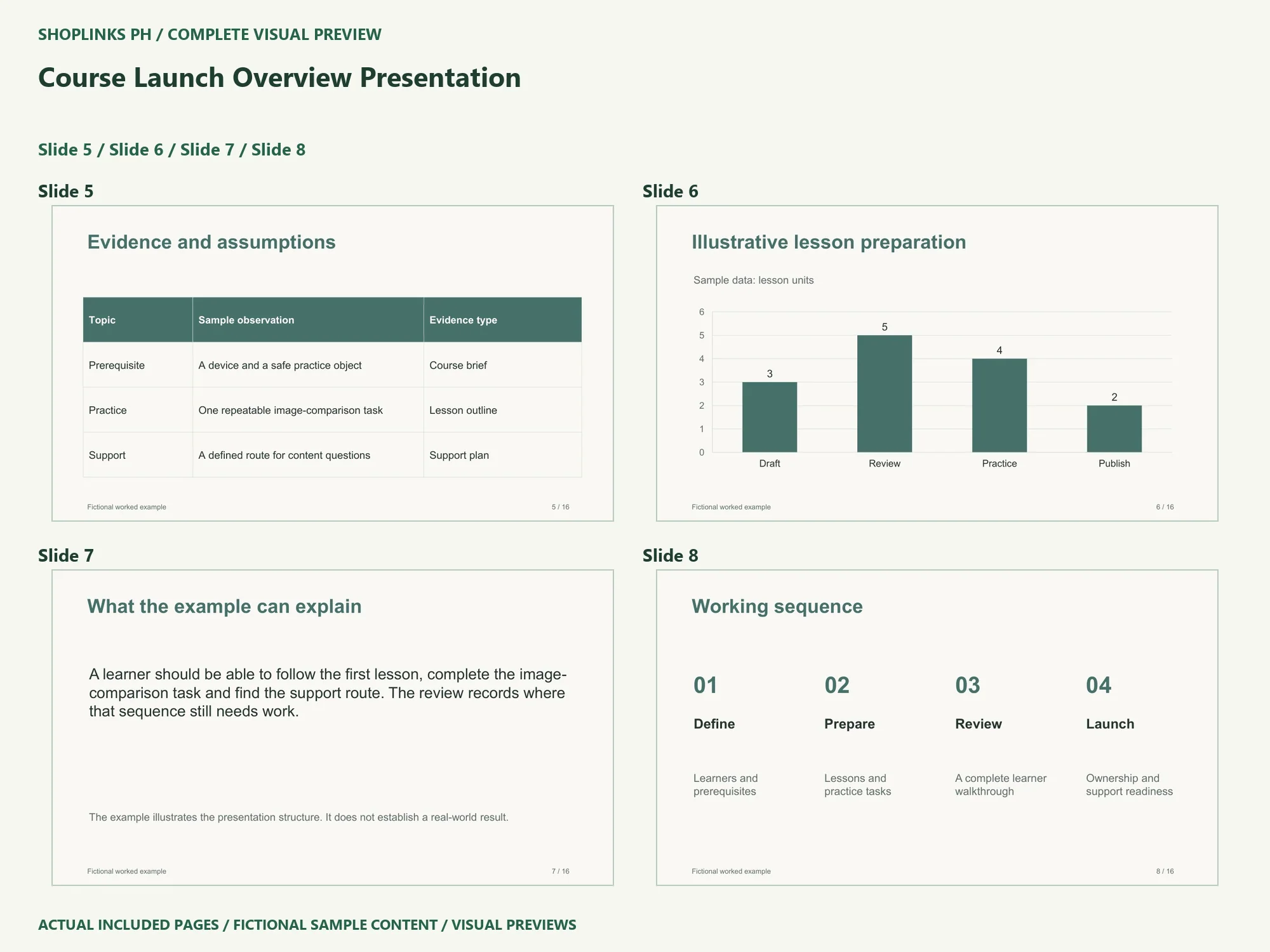
The example records cover prerequisite, practice, support. Replace the native table cells with your own observations and sources. Open Edit Data for the chart and change category labels, values and units together. The sample chart illustrates formatting; it supplies no research finding or business result.
Compare useful alternatives
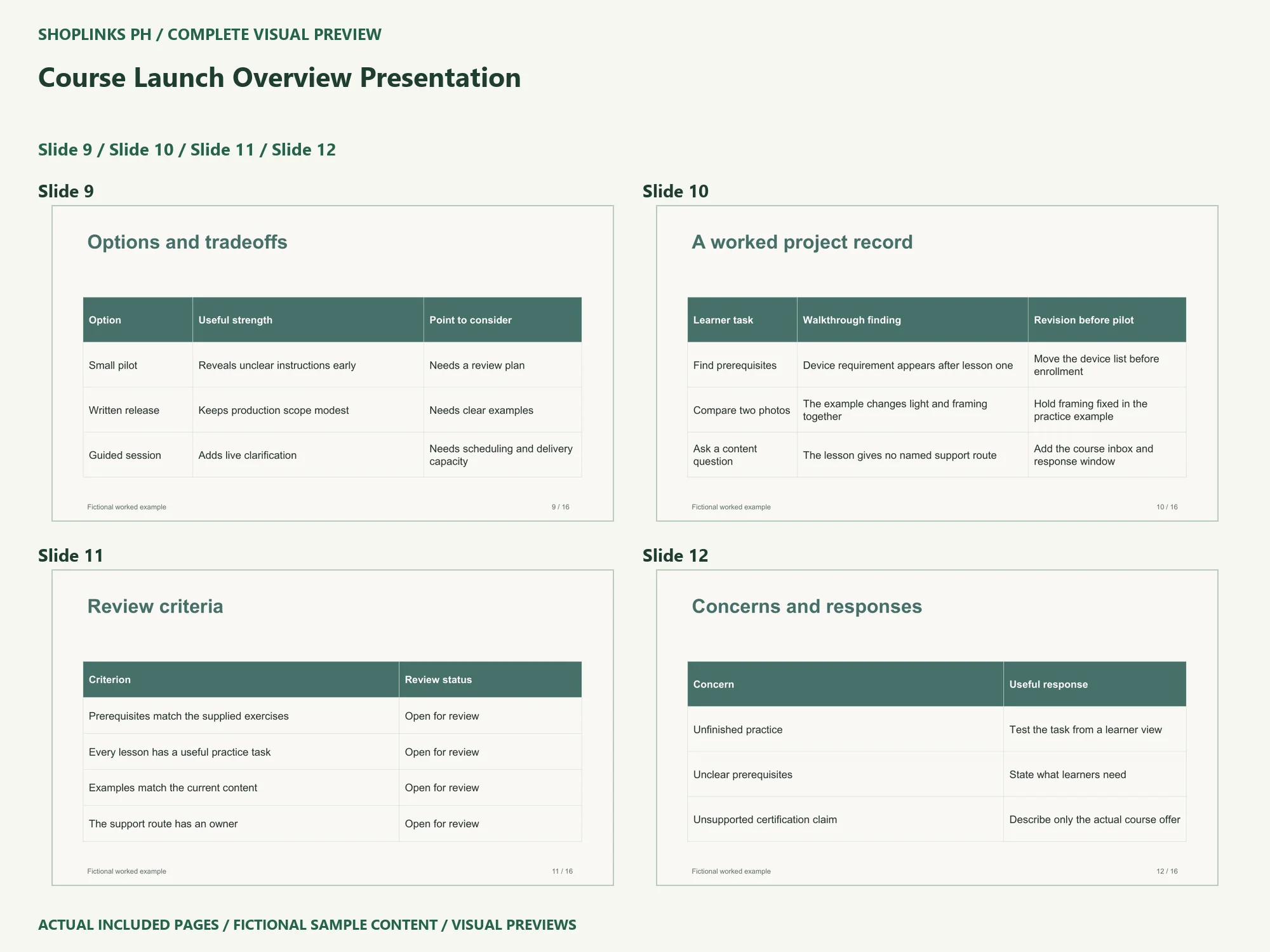
The sample options are small pilot, written release, guided session. For each option, explain its useful strength and the condition that could limit it. Keep the same project boundary while comparing alternatives. A proposal is easier to assess when its tradeoffs are visible before the recommendation.
Turn a preference into a reviewable record
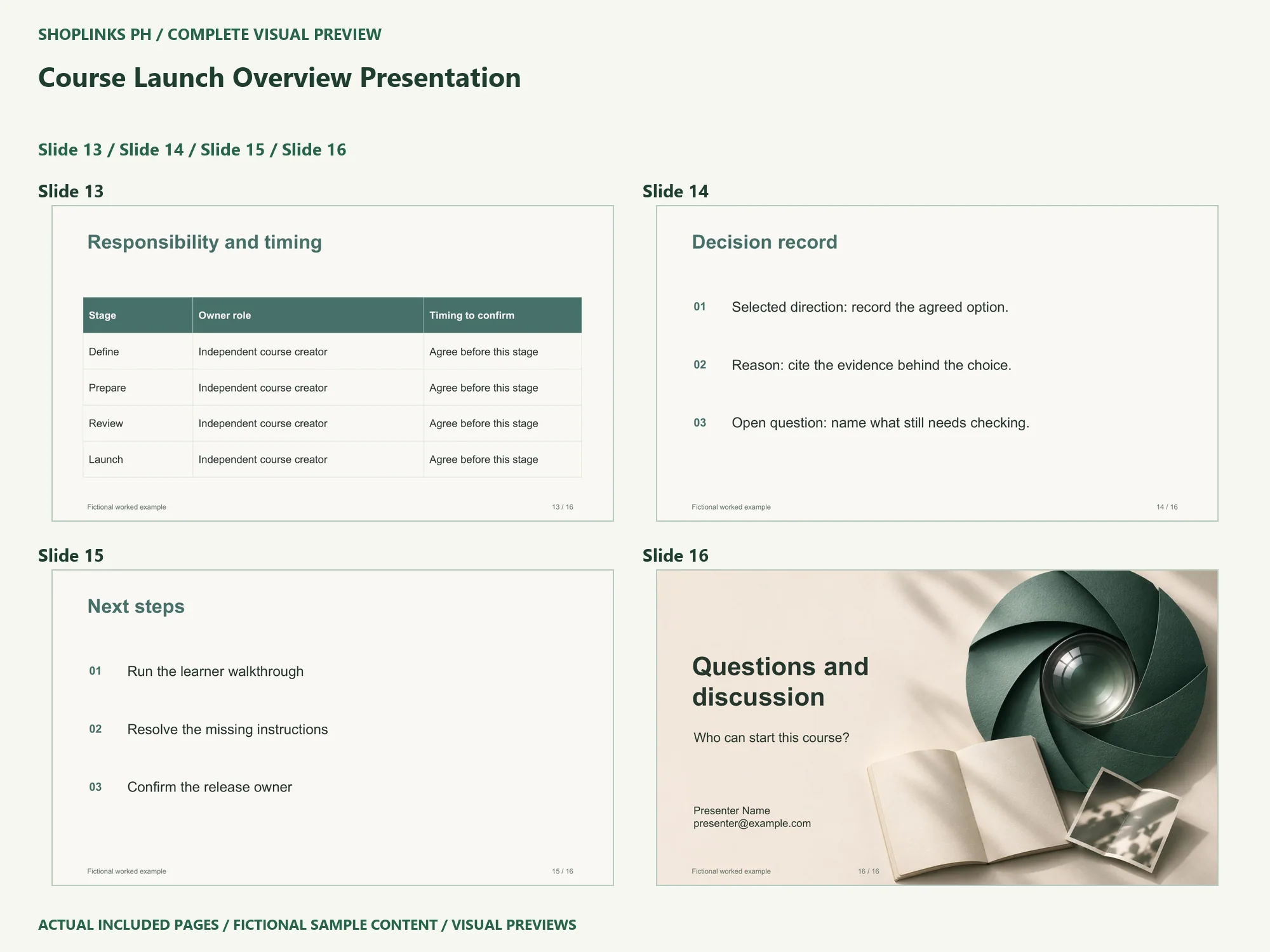
A learner should be able to follow the first lesson, complete the image-comparison task and find the support route. The review records where that sequence still needs work. The worked-record slide shows a more concrete way to connect an observation with a decision. Review these criteria: Prerequisites match the supplied exercises; Every lesson has a useful practice task; Examples match the current content; The support route has an owner. Preserve the distinction between a fictional example, your own observation and an agreed next action.
Reopen the finished handoff
Review the whole story in Slide Show after editing. Inspect long names, chart labels, table wrapping and the presenter contact on the last slide. Read the speaker notes so old sample context does not remain in your final version. Save a new PPTX, export your own PDF and reopen both. Confirm the next action has an owner and a review point: Run the learner walkthrough; Resolve the missing instructions; Confirm the release owner.
Use the source for your own context
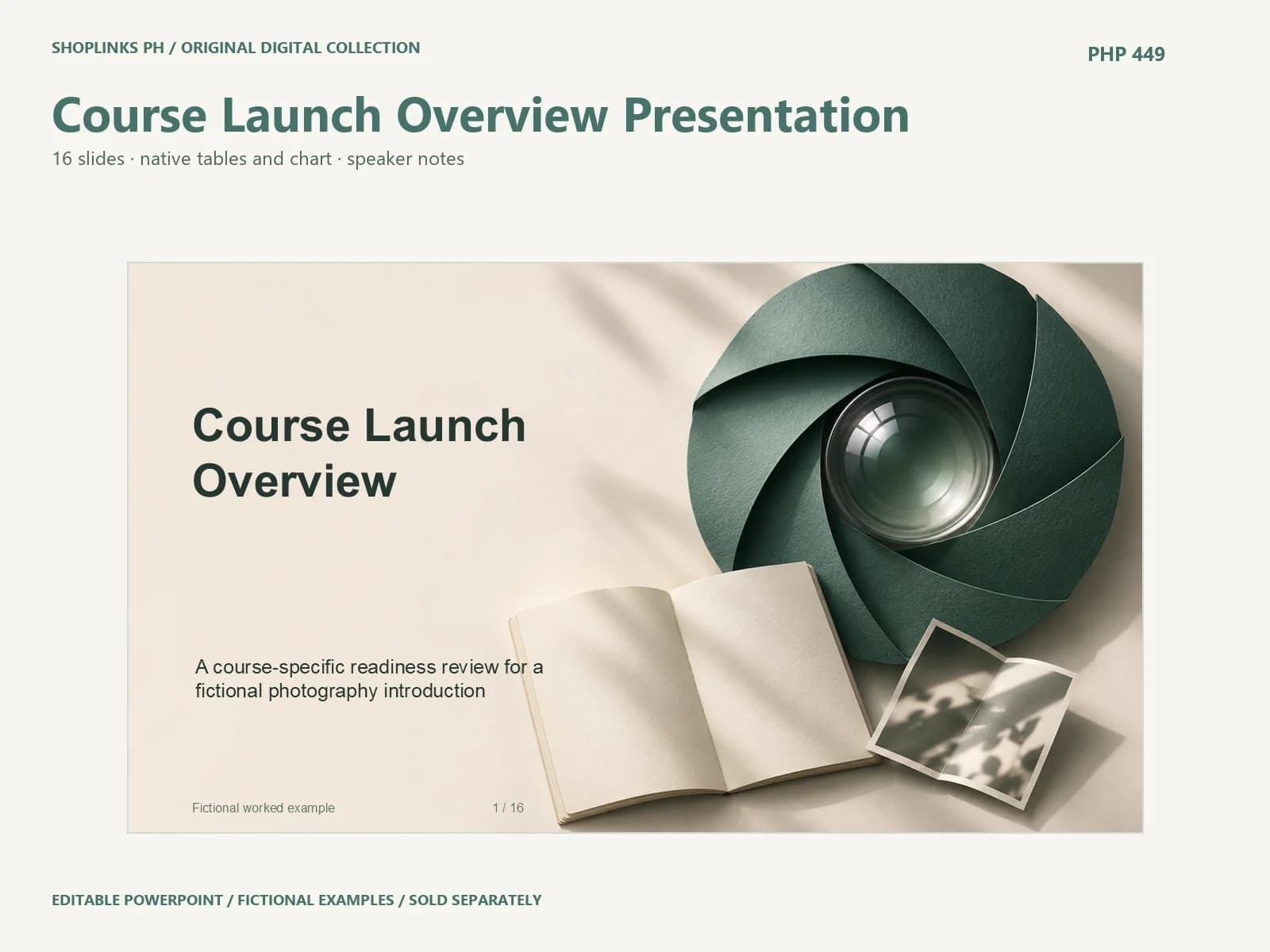
The package is a starting structure for independent course creator. Read its requirements and license before you adapt it. Keep uncertainty visible, replace the fictional material, and share a dated version with the people who will use it. The template does not supply professional approval or a guaranteed outcome. Review the included files on the exact ShopLinks product page: View Course Launch Overview Presentation
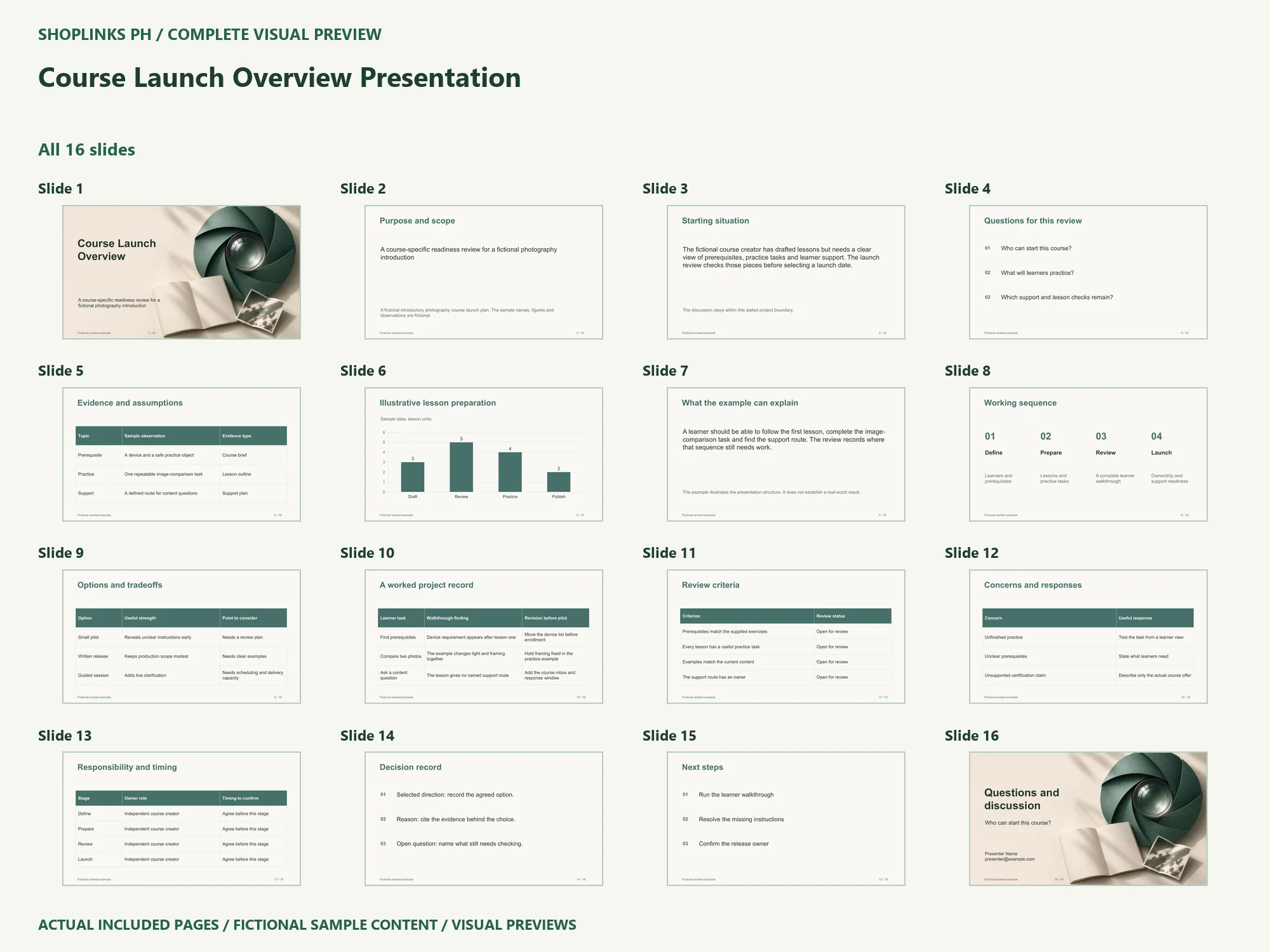
Complete page preview
See all 16 slides below. These are static visual previews of the included source, with fictional sample content. Select an image to open it at full size and use browser zoom.