Key takeaways
- One patient ID, minimum personal data, kept private.
- Every appointment links a provider and a service.
- One bill per visit with itemized lines and matched payments.
- Provider shares and supply counts come from records, not memory.
Watch the supporting video
Watch the YouTube guide here while following this article.
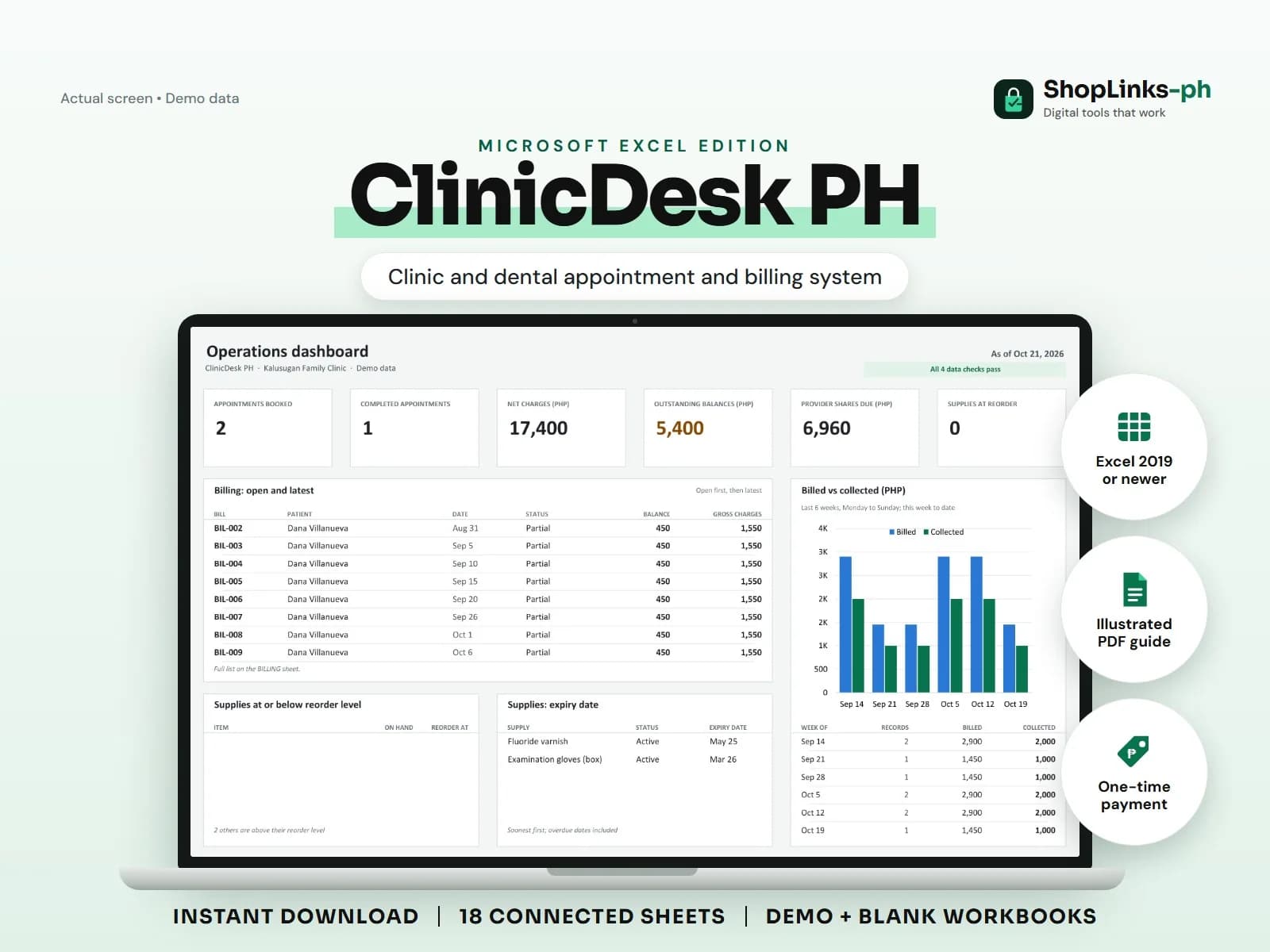
Most small clinics run on three disconnected lists: an appointment book, a stack of charge slips, and a supply cabinet nobody counts until the gloves run out. When a provider asks for their share at month-end, someone reconstructs it from memory. ClinicDesk PH connects those lists with stable IDs so the numbers agree without the reconstruction.
Keep the patient list clean and minimal
Give every patient one ID and record only the contact details the clinic needs to reach them and their emergency contact. Do not store clinical notes, diagnoses, or results in this workbook; keep those in your proper medical record system and treat the sheet as private under the Data Privacy Act.
A stable ID means a returning patient is never entered twice, which keeps their ledger and follow-ups in one place.
Book against a provider and a service
Each appointment links a patient, a provider, and a service with its expected duration and standard fee. Update the status as the day moves: Booked, Confirmed, In Clinic, Completed, No-show, or Cancelled.
The appointment ID is later referenced by the bill, so a completed visit can always be traced back to who saw the patient and for what.
Bill each visit once
Open one bill per visit and add bill items: services, supplies used, and other charges. Enter the discount once, and let the sheet compute gross charges, net charges, payments, balance, and status.
Partial payments are normal in a clinic. Because each payment carries the bill ID, the balance column shows exactly what is still owed.
Count supplies and settle provider shares from records
Record stock-ins and clinic use with the related bill ID so on-hand counts, reorder alerts, and expiry dates stay current. Each provider's fee share is computed from the net charges recorded under their ID at their default rate, plus any adjustment you enter.
The PATIENT LEDGER and FOLLOW UPS sheets turn the same records into a recall list and a collection list you can act on every week.
Review exceptions every week
Resolve duplicate IDs, missing links, overdue balances, negative amounts, and open operational items in CHECKS before using the dashboard for decisions.
ClinicDesk PH Microsoft Excel Edition is designed for Microsoft Excel 2019 or newer on Windows or macOS.
No electronic medical records, diagnosis or treatment guidance, prescriptions, PhilHealth or HMO claim filing, official receipts, tax filing, automatic reminders, or legal, medical, or data-privacy compliance advice.