Key takeaways
- Set price and crew share rate once per service.
- One ticket row per vehicle drives total, share, and balance.
- Mark tickets Released so crew pay counts only finished washes.
- Log supply use daily and review SERVICE REPORT weekly.
Watch the supporting video
Watch the YouTube guide here while following this article.
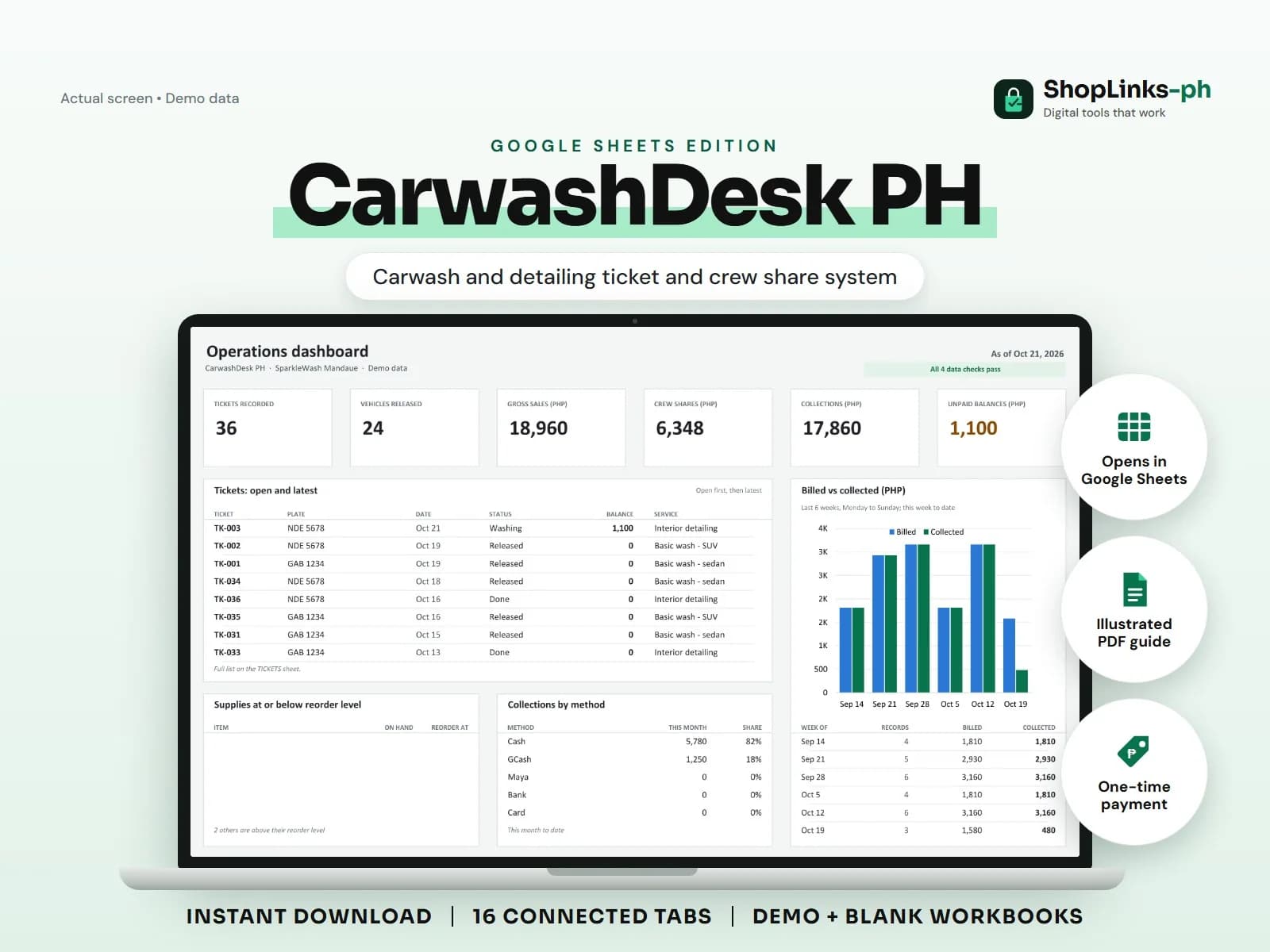
A carwash makes money in small tickets all day, which is exactly why the notebook fails: a washer remembers eleven cars, the cashier counted nine, and the shampoo ran out on a Saturday. CarwashDesk PH gives every vehicle a ticket row with the service price, crew share, and balance computed, so the day's money and the crew's pay come from the same record.
Price services and shares once
Each service carries a price, a vehicle class, a duration, and a crew share rate. When a ticket names the service, the price and share are looked up instead of typed.
Changing the share rate on the service changes every future ticket, which keeps the crew agreement in one place.
Open a ticket per vehicle
A ticket records the date, time in, vehicle, service, add-ons, discount, and the crew who washed it. Total, crew share, payments, and balance are formula-driven.
Ticket status moves from Waiting to Released, and only Released tickets count toward crew pay, so an abandoned or cancelled wash never costs the shop twice.
Pay crew from the tickets
CREW PAYOUTS totals each crew member's Released tickets and shares per period, applies adjustments, subtracts what was paid, and shows the balance.
SERVICE REPORT shows tickets, gross sales, crew shares, and net to shop per service, which tells the owner whether detailing or basic washes are carrying the bay.
Keep supplies and cash honest
Shampoo, wax, and towels are registered with a unit cost and reorder level; daily use is a Job Use movement so on-hand stock and the reorder flag stay current.
Payments recorded against tickets keep fleet balances visible. A weekly pass through CHECKS catches tickets pointing at unknown vehicles or services and overpaid tickets.
Review exceptions every week
Resolve duplicate IDs, missing links, overdue balances, negative amounts, and open operational items in CHECKS before using the dashboard for decisions.
CarwashDesk PH Google Sheets Edition is designed for use with a Google account and current desktop Google Sheets.
No queue display or SMS notifications, membership cards, POS or official receipts, payroll or tax computation, chemical dosing guidance, or vehicle damage liability records.